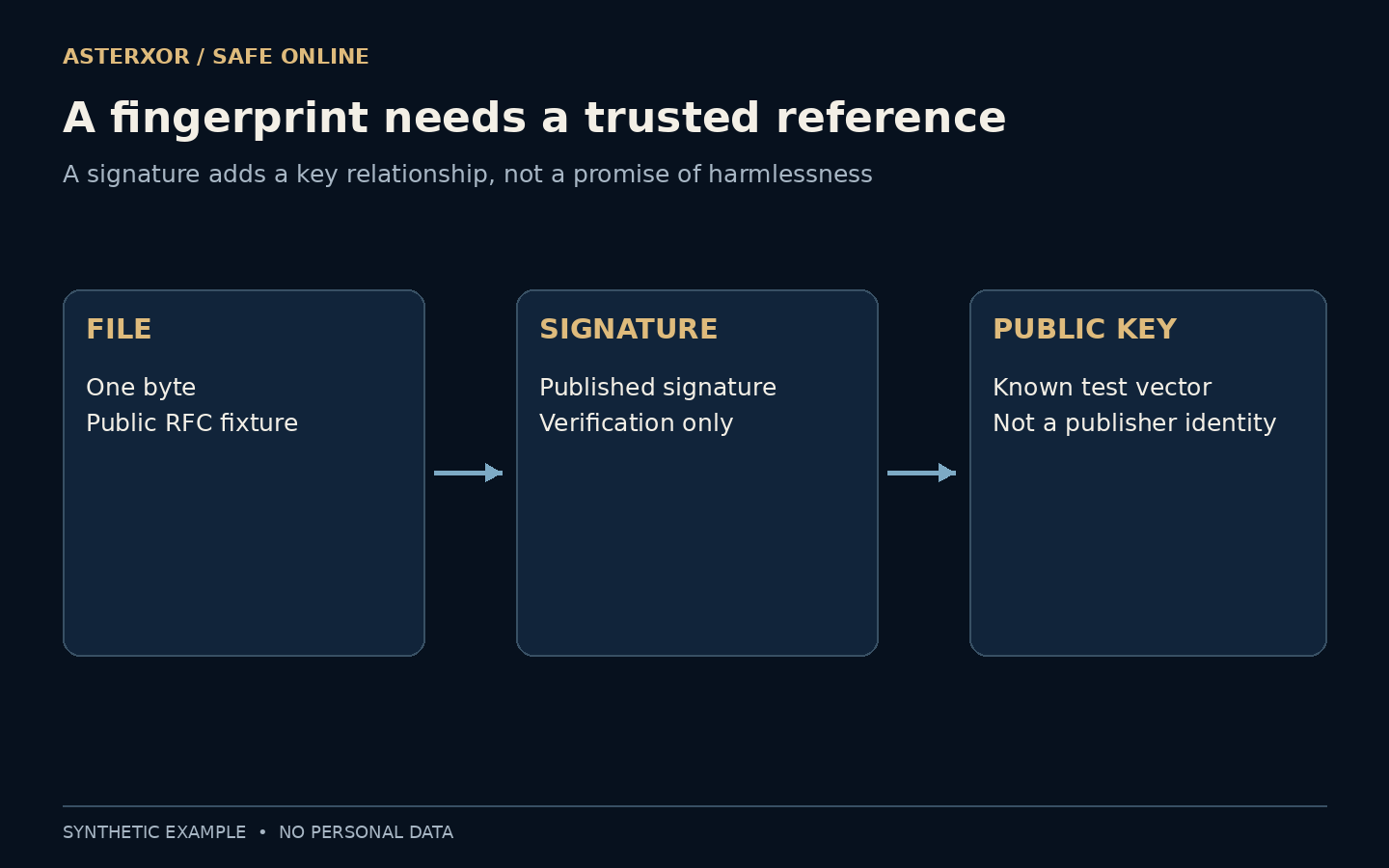
A matching fingerprint is helpful only when you know whose reference you are matching.
A download page may offer a long checksum, a detached signature or both. They are easy to treat as interchangeable marks of safety. In fact, they supply different evidence. A checksum compares bytes with an expected digest. A digital signature can bind particular bytes to a corresponding key. Neither shortcut removes the need to trust the reference, understand the publisher and consider what the file actually does.
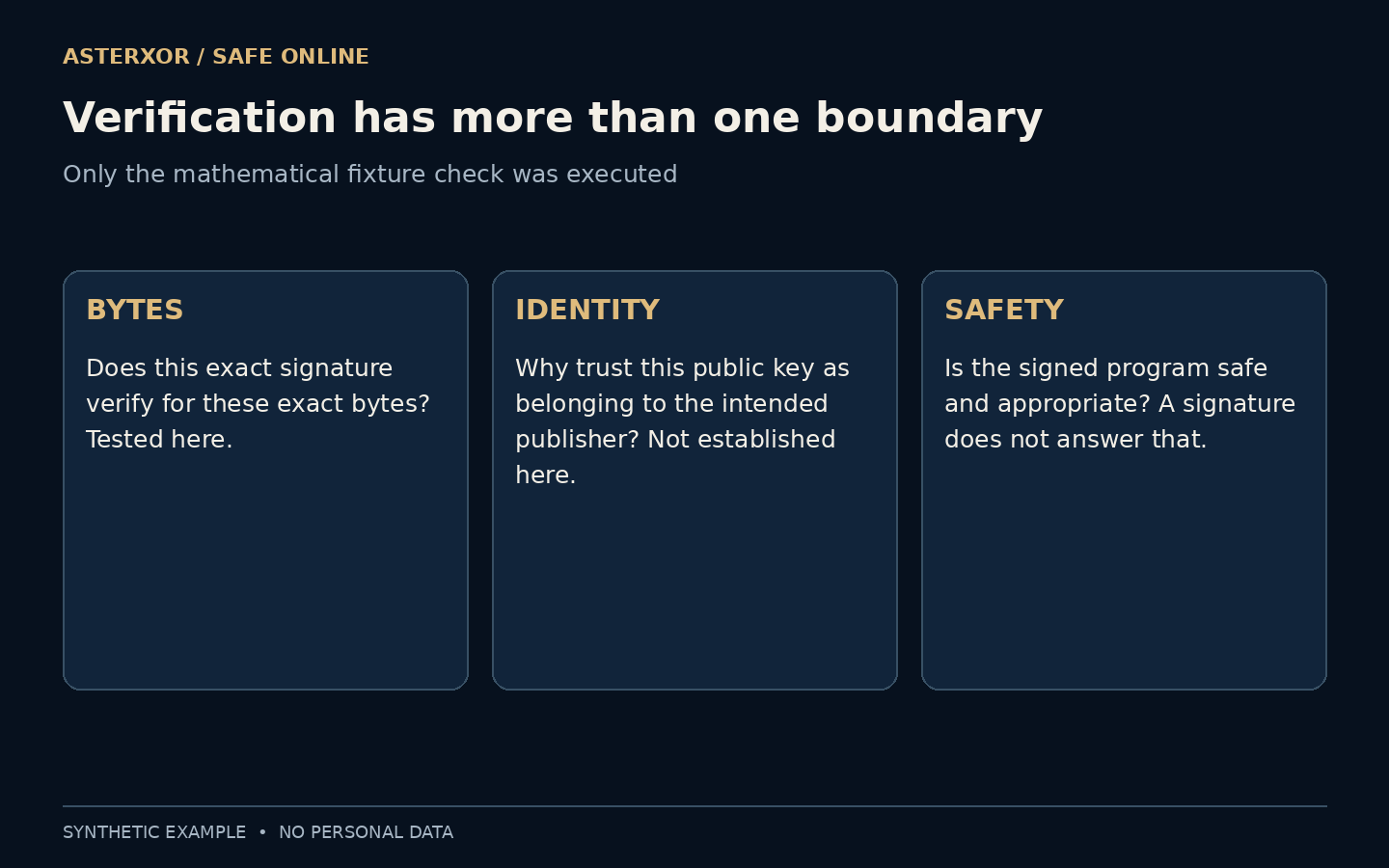
Exact bytes, trusted key, safe content: three separate questions.
What a checksum can tell you
A cryptographic hash such as SHA-256 deterministically maps file bytes to a fixed-length digest. If your copy produces a different digest from the expected value, it does not match that reference. This is useful for detecting a damaged transfer or an unintended change, provided you know which exact version the expected value describes.
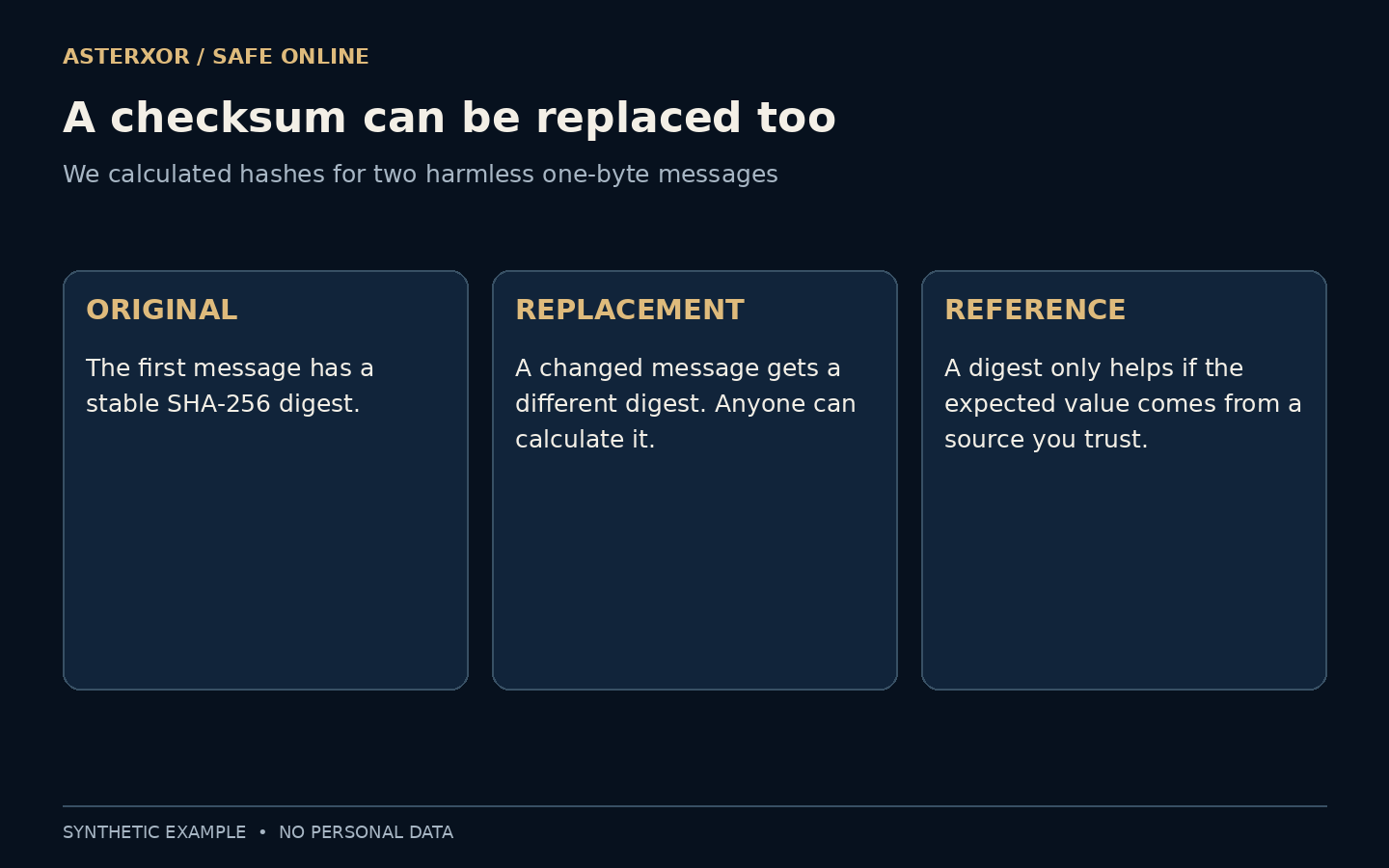
But anyone can hash a replacement file and publish its new digest. If a hostile source controls both the download and the comparison value, their agreement provides little reassurance about origin. We demonstrated the narrow arithmetic fact with two harmless one-byte messages: their digests differ, and each message matches its own newly calculated digest.
The comparison is about an exact artifact. A compressed archive, the files extracted from it and a later repackaged archive have different bytes even when they contain similar material. Compare the object named by the publisher’s instructions. Hashing a convenient substitute and obtaining a different result does not, by itself, identify tampering; it may mean you compared the wrong thing.
The signature changes the evidence
In a public-key signature scheme, signing uses a private key and verification uses the corresponding public key. Successful verification supports a statement about those exact bytes and that key, within the scheme’s assumptions. It does not require giving the verifier the private signing key, which is why signatures are useful for distributing public software.
The public key still needs a trustworthy connection to the intended publisher. A valid signature under an arbitrary key is not an identity check. A signature also does not encrypt the message: anyone holding the file can still read it if the file is otherwise readable. Authenticity, confidentiality and usefulness remain different properties.
The association between a public key and a publisher has to come from somewhere outside the bare verification result. A key supplied only alongside an unfamiliar file does not independently establish that association. In established software distribution systems, supported tooling can manage these trust relationships for you. Follow that system’s documented process instead of manually accepting a new key simply to make a warning disappear.
We verified, without creating credentials
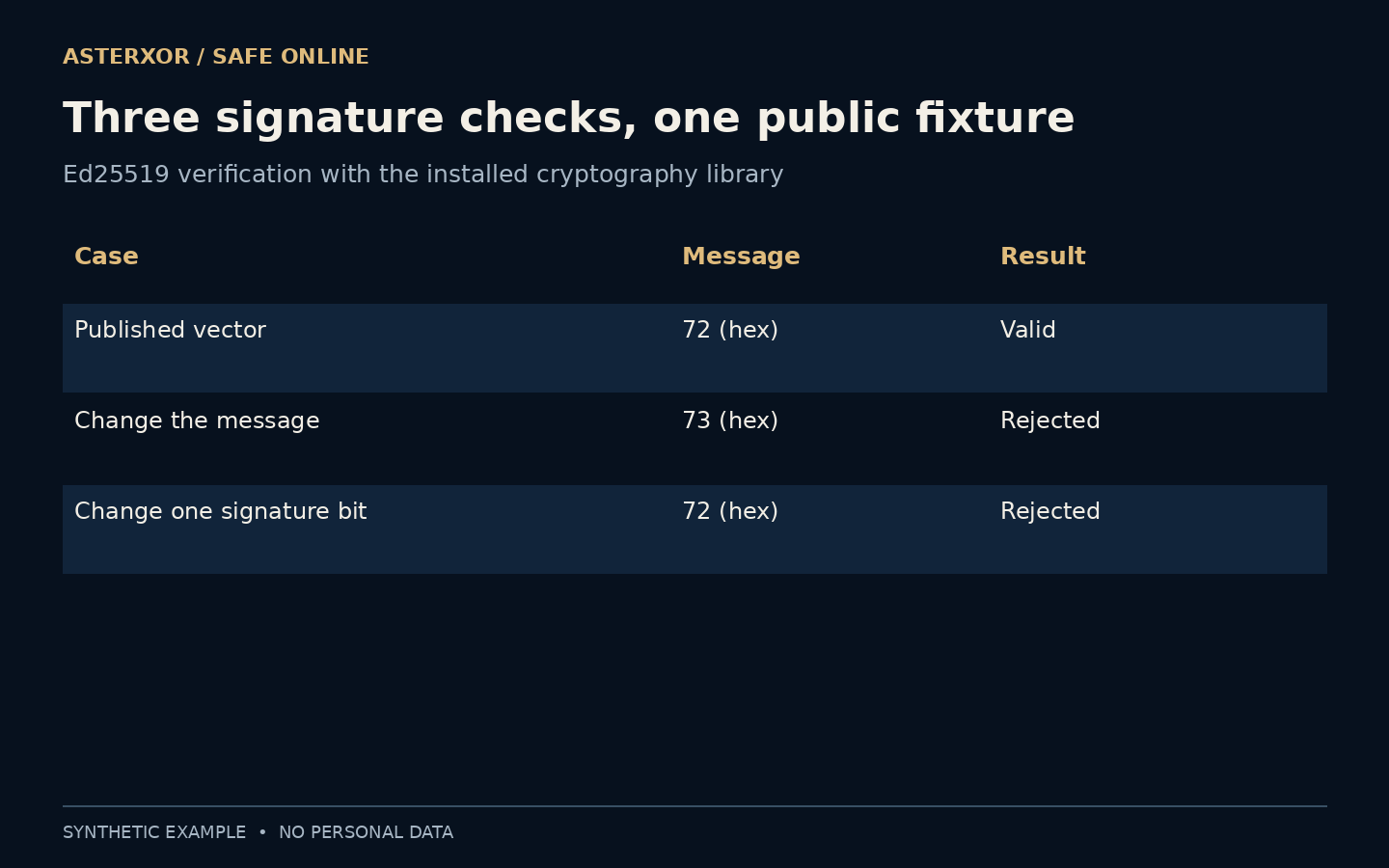
For an actual local check, we used TEST 2 from RFC 8032’s Ed25519 vectors. The message is a single byte, hexadecimal 72. We loaded only the published 32-byte public key and 64-byte signature into the installed cryptography library. We did not generate credentials, load a private key or create a new signature.
The published message verified successfully. Changing the message byte to hexadecimal 73 caused rejection. Restoring the original message but flipping one bit of the signature also caused rejection. These are concrete outcomes from a verification API, not evidence that we tested a login system, protected a download service or authenticated a real organization.
Where did the reference come from?
For real software, follow the publisher’s documented verification process and use an established installer, package manager or operating-system trust mechanism when appropriate. The important question is how the expected key or digest reached you. Merely placing a key beside a file on an unfamiliar page does not independently establish who owns it.
Keys can change, be revoked or be compromised. A meaningful verification workflow may need current trust information and the correct release context, not just a green result from a mathematical check. Our public standard fixture deliberately skips those operational questions. Its value is reproducibility, and its limitation is that a test key represents no trusted software publisher.
Imagine an official release page, a file copied into a chat and a checksum included in the same chat. The chat’s agreement between file and checksum may show that the sender supplied a consistent pair, but it does not reproduce the official page’s authority. Reach the publisher independently and confirm the intended product, version and platform before deciding which comparison value or signing identity is relevant.
A signed file can still be unsuitable
A correctly signed program may contain a defect, do something you do not want or request permissions you should not grant. A signature helps identify a key relationship; it is not a review of every possible behavior. Likewise, a signed old release can be authentic while missing fixes available in a newer supported version.
Pay attention to the exact file, intended platform, release information and source. Do not bypass a warning just because a page displays the word signed. If verification fails, stop and investigate through the publisher’s known route instead of treating failure as an inconvenient extra step. A successful check and a justified decision to run software are related but distinct.
Separate the decision to keep a file from the decision to run it. A successful verification can support provenance while leaving questions about necessity, permissions and compatibility unresolved. Conversely, a failed verification is a reason to stop and investigate, not a reason to disable the check until the file works. Use the publisher’s support route to resolve a mismatch rather than treating every failure as proof of a particular attack.
Even an extra line ending changes the signed object
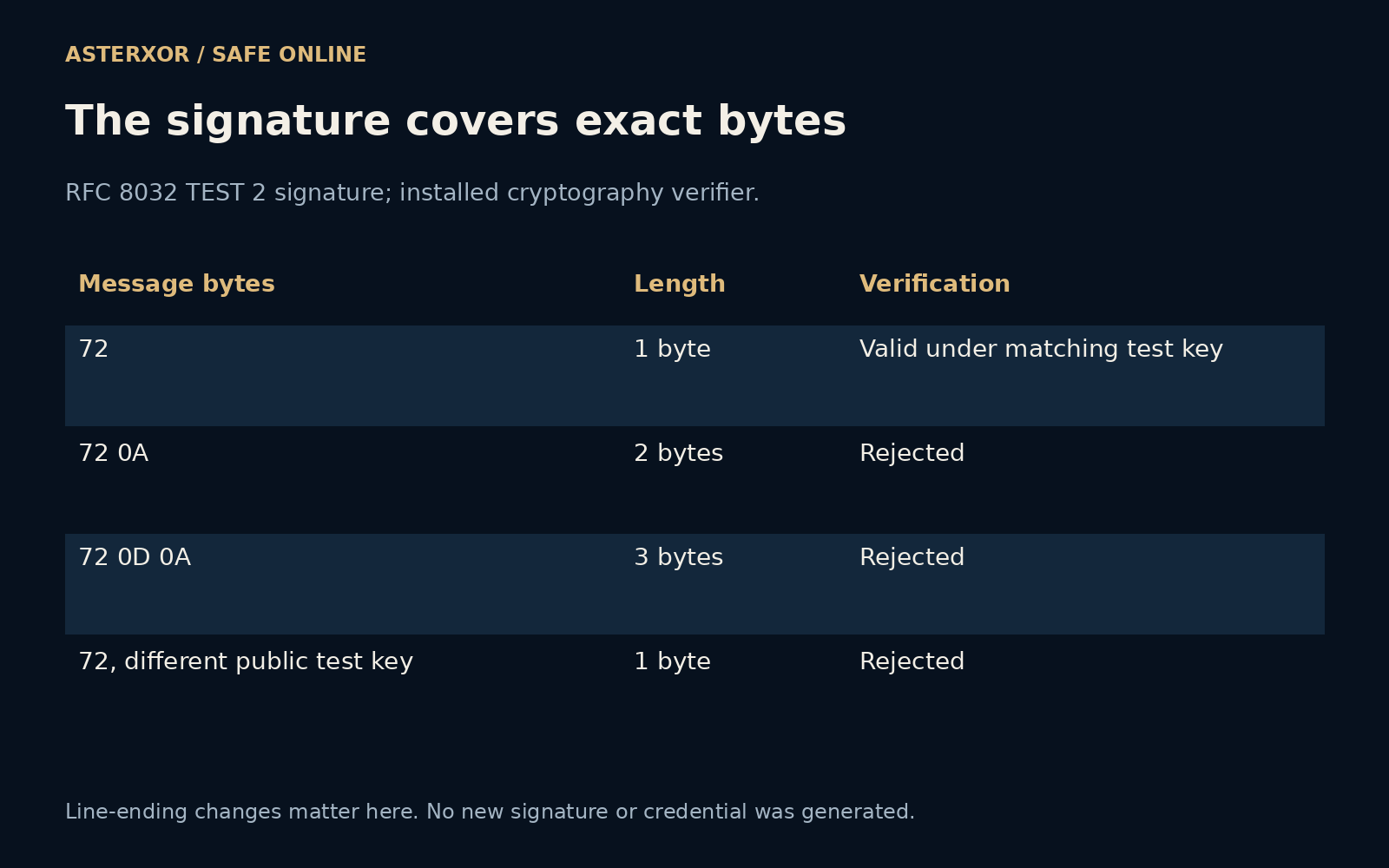
We returned to the same published RFC test vector and added a line-feed byte to its one-byte message. Verification rejected the two-byte version. Adding a carriage return and line feed created a three-byte version, also rejected. The original one-byte message still verified. All three SHA-256 digests differed. These are tiny changes to bytes, not claims about the appearance of a real downloaded document.
Next we kept the original message and signature but supplied the public key from another published RFC test vector. Verification failed. This is a useful negative control: the response is not accepted merely because some valid-looking public key was provided. No new key or signature was generated. The two public test keys are educational fixtures, not identities of software publishers.
An ordinary reader can use the distinction without handling raw hexadecimal values. Preserve the downloaded artifact while following the official verification steps, and avoid opening and resaving a signed text file before checking it. If a tool reports a mismatch, check the specified artifact and release details through the trusted source. The rejection establishes a failed check; it does not explain the cause by itself.
You do not need to invent a protocol
For an ordinary reader, the useful skill is asking what evidence is present. A checksum is a comparison against a reference. A signature adds a key relationship. A trusted distribution channel supplies more context for that key, while the software’s purpose and permissions still deserve attention. None of these should be replaced by an unfamiliar badge.
Use supported verification tools rather than copying a short cryptographic example into a new security system. Our code is intentionally limited to a public fixture and a few negative checks. The exercise earns a small, precise conclusion: changing either the signed message or this signature stopped verification under the given public test key.
Further reading
RFC 8032: Ed25519 test vectors, section 7.1 ↗Cryptography documentation: Ed25519 verification ↗Python documentation: secure hashes ↗Original documentation and useful background.