What if the useful proof could travel while the private key stayed out of the form?
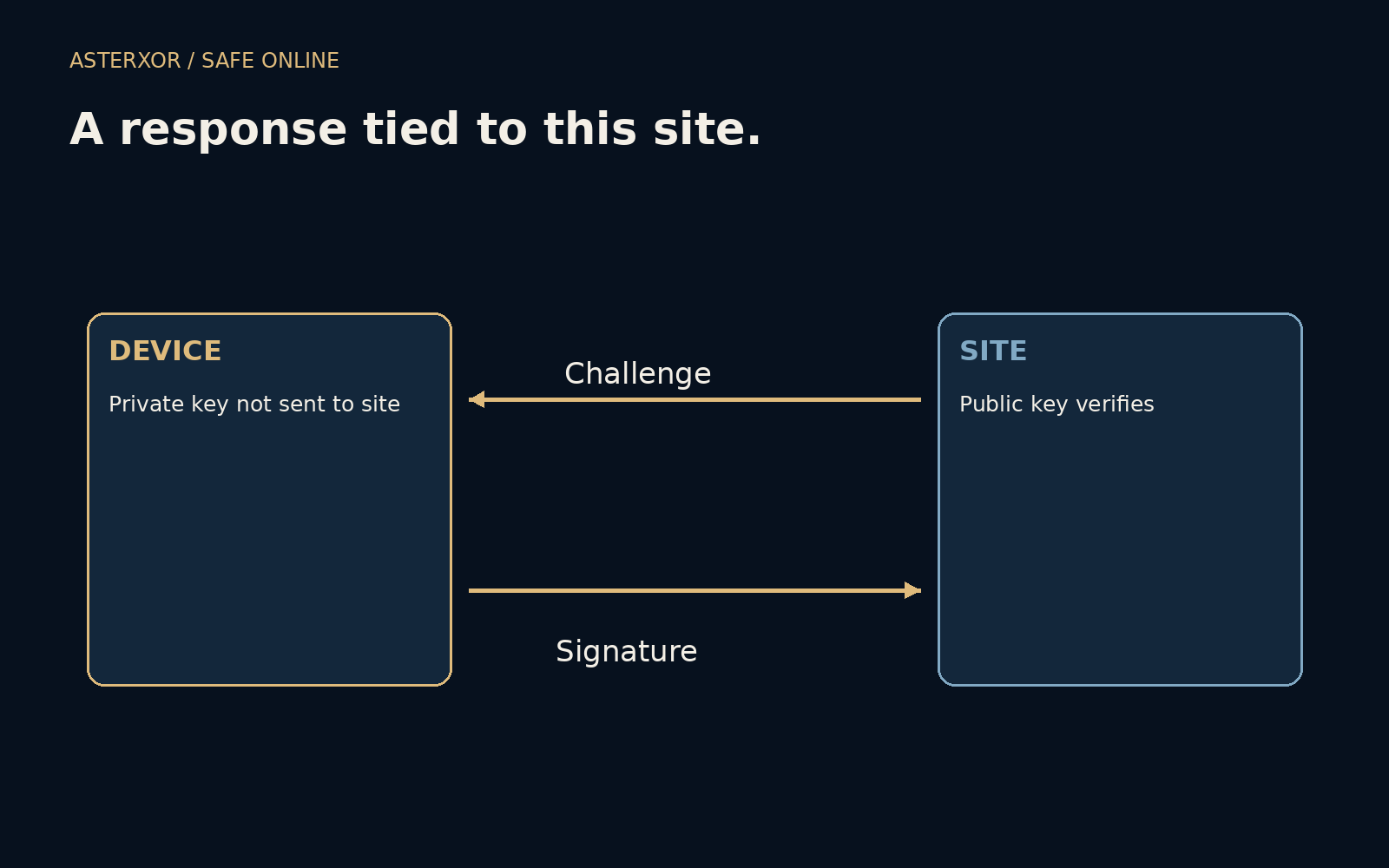
Typing a password sends knowledge of a shared secret into a login process. A passkey uses a different arrangement: a service holds a public key, while an authenticator can use a corresponding private key to answer a challenge. The private key is not submitted as a password. Understanding that division makes the technology less mysterious without pretending to build an authentication system here.
The service needs proof, not a copy of the private key.
A challenge asks for an answer about this visit
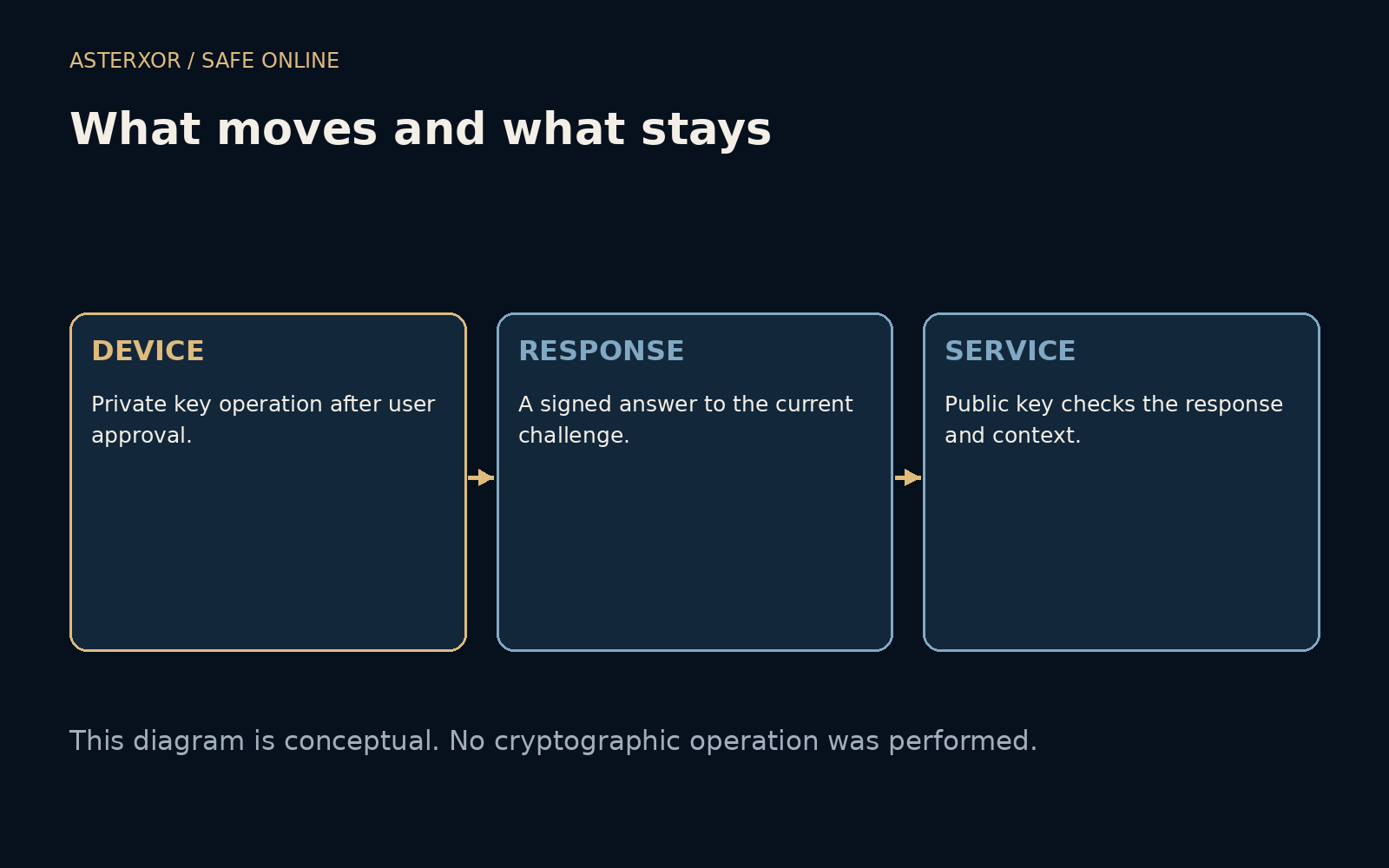
In a simplified picture, the service supplies a fresh challenge. After the required user interaction and verification, the authenticator produces a signed response. The service verifies that response with the public key and checks the surrounding context. Freshness matters because a saved response from an earlier visit should not be enough to authorize a new one.
This is an explanation of roles rather than a recipe for implementation. Real WebAuthn involves structured data, relying-party identifiers, browser origin checks and policy decisions. Registration and account recovery also need careful design. We neither generated keys nor created credentials. The diagram deliberately leaves the cryptographic machinery inside a labeled boundary instead of replacing it with homemade mathematics.
The site binding changes the phishing problem
A password can be typed into a form that merely looks correct. A suitable passkey flow uses the browser and authenticator to bind the operation to the relying party. A lookalike site does not receive a response for the genuine site simply because it displays the same logo. This is the important distinction behind descriptions of passkeys as phishing-resistant.
Phishing-resistant does not mean that every interaction around an account becomes safe. A misleading page can still ask for a payment, a download or an inappropriate permission. An attacker might also target recovery or a less protected fallback route. The credential improves a specific part of sign-in; the service’s other decisions still need their own evidence and safeguards.
Three cases make two requirements visible
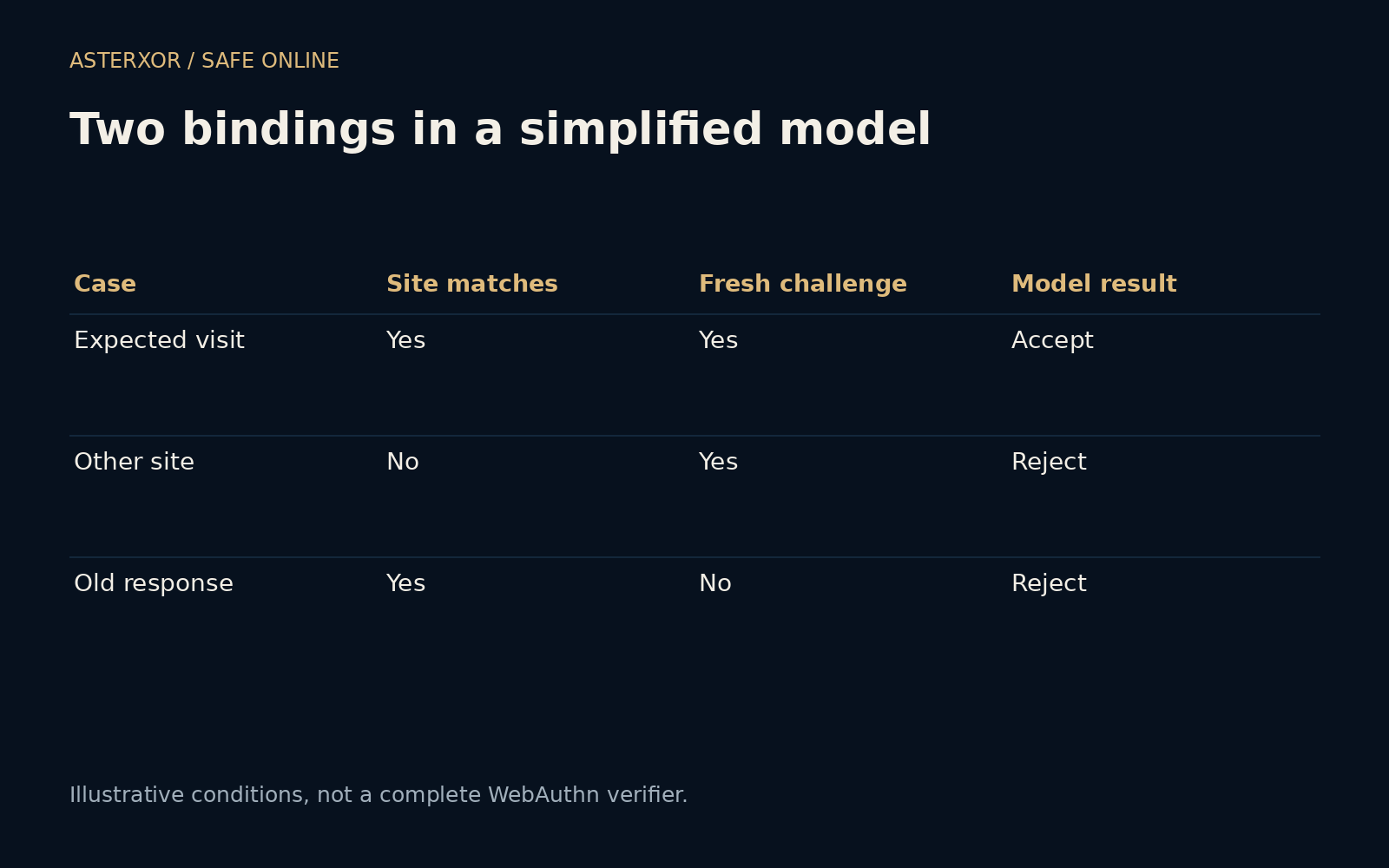
Our offline model has only two conditions: the expected site must match and the challenge must be current. A matching site with a fresh challenge is accepted by the model. A different site is rejected even with a current challenge; an old response is rejected even when the site matches. Four assertions check that tiny decision table.
These outcomes come from the rule we wrote, not from a browser defeating an attack. There is no digital signature, authenticator, account or network connection in the experiment. The table is useful because it separates site binding from freshness. Neither one alone describes a complete verifier, and the drawing must not be mistaken for production authentication code.
Unlocking a device and logging into a site are related steps
A face, fingerprint or device PIN may be used locally to authorize the credential operation. In the usual WebAuthn arrangement, the site receives verification-related information rather than a copy of your biometric image. That local check is different from sending your fingerprint to every website. Exact behavior depends on the device, authenticator and service policy.
Passkeys can also differ in where they are available. Some are synchronized through a provider’s credential system; others are bound to particular hardware. Those choices affect convenience and recovery. Before replacing an old login method, learn how the chosen provider handles a lost device and how you will reach the account if your normal device is unavailable.
Adoption should include the spare route
When a service offers passkeys, begin through its genuine account settings and follow its supported enrollment process. Keep an existing recovery route working until you understand the new one. If several devices are involved, check which can actually access the credential rather than assuming that a successful setup on one device means every device is ready.
Review old fallback methods as well. A strong normal login can coexist with a weaker recovery path, so account settings deserve a complete look. The aim is not to collect a new security label. It is to make legitimate access straightforward while reducing opportunities for a fake site to ask you to hand over a reusable secret.
Further reading
W3C: Web Authentication ↗FIDO Alliance: Passkeys ↗MDN: Web Authentication API ↗Original documentation and useful background.