In this Python experiment, 0.1 + 0.2 is not exactly equal to 0.3.
The printed sum is 0.30000000000000004. It looks like a mistake in the most elementary arithmetic, but the machine has added two stored approximations and rounded the result to another representable number. Decimal notation on screen conceals the binary grid underneath. Understanding that grid is more useful than deciding that computers cannot count.
A number on screen can be a short name for a nearby value.
Some fractions never finish in binary
In decimal, one third produces an endless repeating expansion. Binary has its own repeating fractions: one tenth cannot be written as a finite sum of the available powers of two. A typical Python float uses binary64, which stores a finite significand and an exponent. It must round 0.1 and 0.2 to nearby representable values.
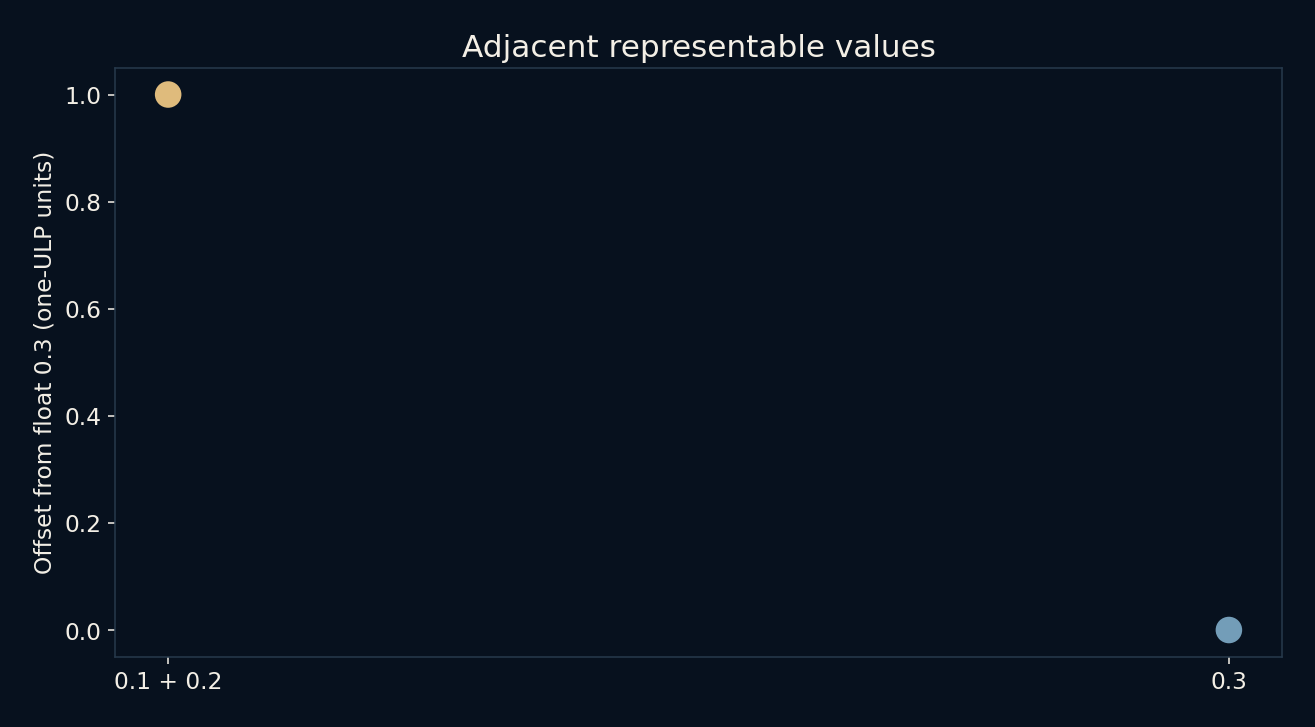
The literal 0.3 is rounded separately. Adding the stored approximations for 0.1 and 0.2 produces a result that rounds to the next representable value above that stored 0.3. In the local run, the difference is about 5.5511 × 10^-17. The error is tiny, but an exact equality comparison notices it.
Formatting is not a repair
Python’s ordinary display chooses a short decimal spelling that identifies the stored value on conversion back. Seeing 0.1 therefore does not prove the machine contains the exact rational number one tenth. A formatted display with fewer digits can make the sum look like 0.3, but it does not change the underlying value.
This distinction matters when comparing results. For an approximate measurement or numerical calculation, an explicitly chosen tolerance may express the real question better than exact equality. The tolerance needs units and context. A threshold appropriate for a large engineering quantity could be unacceptable for a tiny signal, and a relative tolerance alone needs care near zero.
Large numbers have wider gaps
The spacing between adjacent floats grows with magnitude. Around 1, the local spacing is about 2.2204 × 10^-16. Around 10^16, it is 2. Adding 1 there lands between representable neighbours. Under the rounding used in this example, 10^16 + 1 rounds back to 10^16.
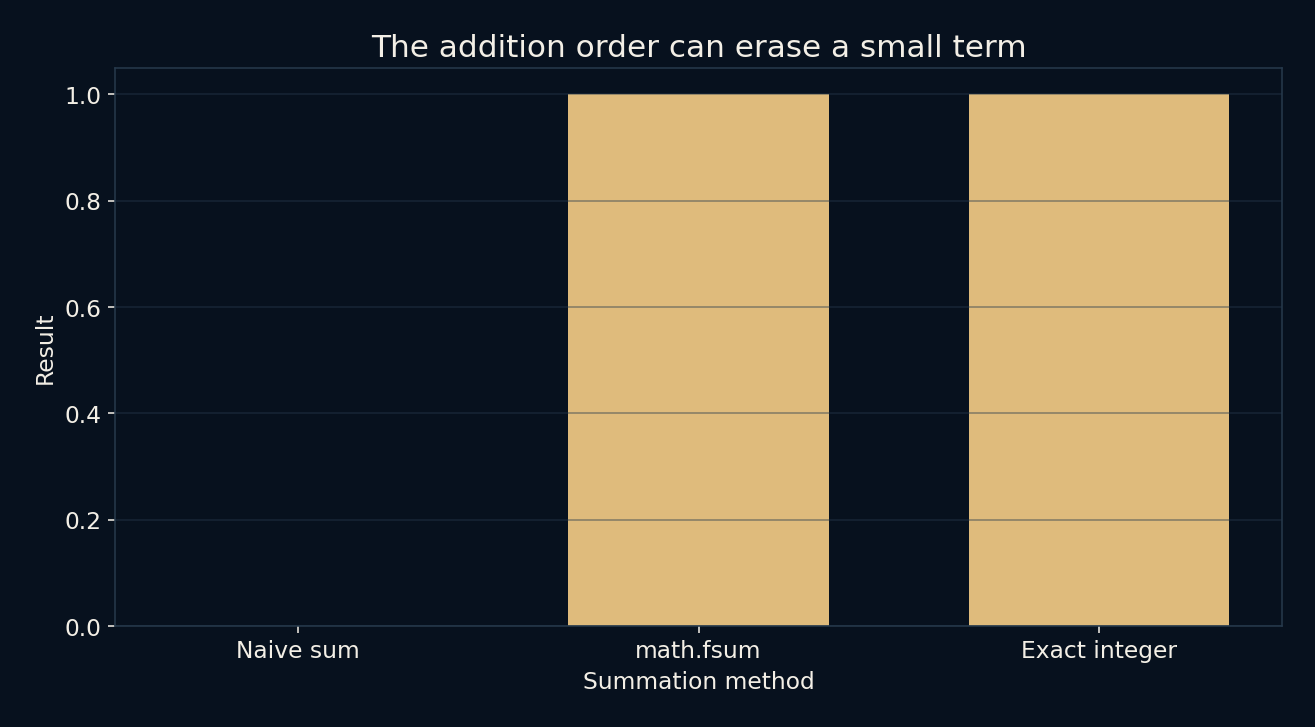
Consequently, evaluating (10^16 + 1) - 10^16 with these float operations returns 0 rather than 1. Subtracting the large number does not recover the small contribution that the earlier addition lost. This is more striking than the decimal-fraction example because the intended answer disappears completely, even though every individual operation follows the representation’s rules.
The order and method of addition matter
The local script also applies math.fsum to the sequence [10^16, 1, -10^16] and obtains 1. That function tracks information more carefully than a straightforward chain of additions. The same values represented as Python integers also sum exactly to 1, because those integers are not restricted to a fixed 53-bit significand.
This does not mean every floating-point problem is solved by one special summation call. Earlier rounding, subtraction of close approximate values, overflow and the structure of an algorithm can all matter. The example identifies one specific loss and one method that avoids it here. Numerical reliability belongs to the calculation as a whole, not just the final formatting.
Decimal inputs can ask a different question
Constructing Decimal values from the strings “0.1” and “0.2” produces the exact result “0.3” in the current decimal context. Strings matter: constructing a Decimal from an already rounded float preserves that float’s value, including its binary approximation. The right representation begins at the input boundary.
Decimal arithmetic still has a finite precision context, so it cannot represent every possible division exactly either. The choice is about the quantities and rules you need to preserve. Integers suit counts, decimal representations suit explicitly decimal rules, and binary floats are effective for many approximate computations. Knowing the bargain is more useful than expecting one number type to satisfy every purpose.
Further reading
Python: floating-point arithmetic and its limitations ↗Python: decimal arithmetic ↗Python: accurate summation with math.fsum ↗Original documentation and useful background.